


Lockers are one of the least digitised assets in a building. In most offices, student residences and hospitality venues they are still opened with a mechanical key or a padlock, which means a manual assignment process, a drawer full of spare keys, and a facility manager who becomes the single point of failure every time someone loses one.
Smart Locker 2.1 is the new generation of the ISEO electronic lock for cabinets and lockers, and it is managed directly from Luckey, alongside every other door and access point in your building. Same platform, same credentials, same permission logic. No separate system to maintain.
What is new in version 2.1
The device keeps the compact on-door form factor of the previous generation, but almost everything behind it has been rebuilt.
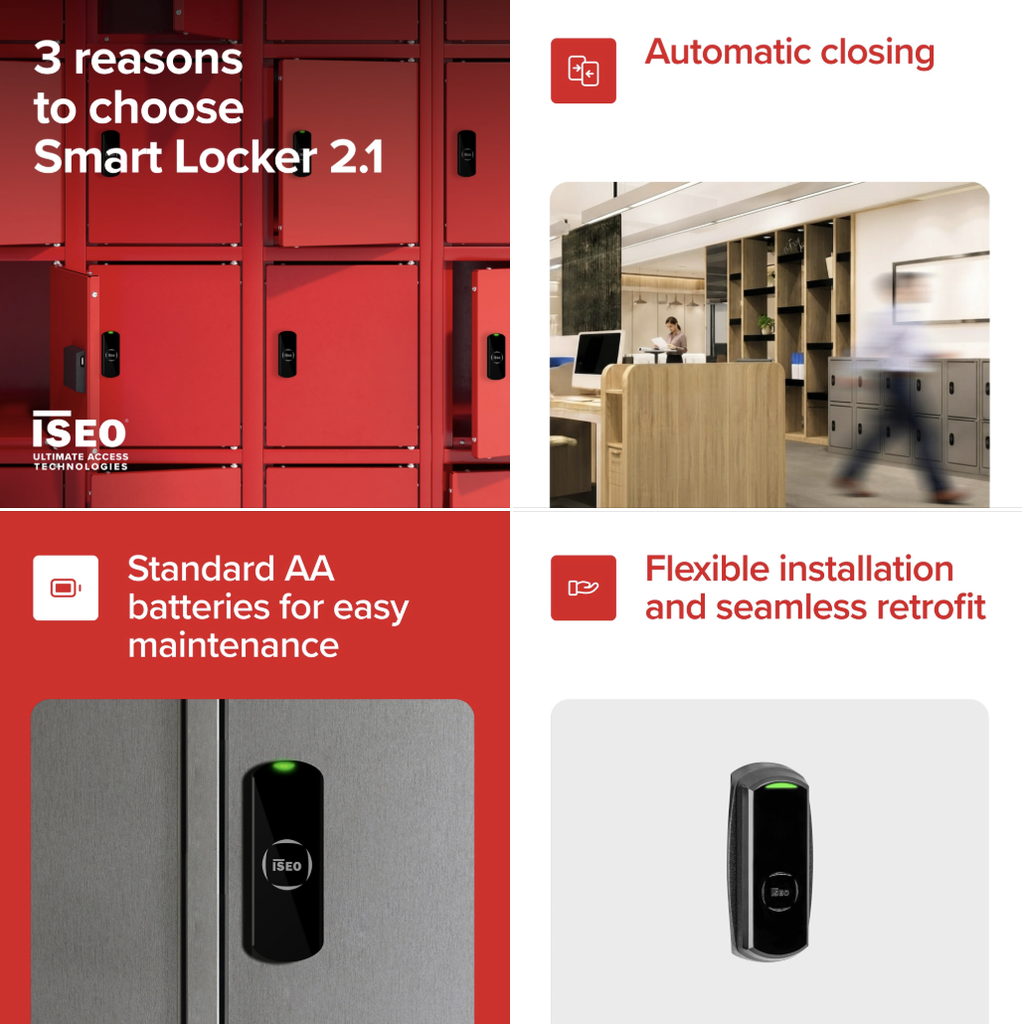
- Standard AA batteries. Smart Locker 2.1 runs on two standard 1.5V AA alkaline batteries. This sounds like a detail until you manage a few hundred lockers across several sites: replacements can be sourced anywhere in the world, in any supermarket, at a fraction of the cost of a proprietary cell. Running costs go down and maintenance stops depending on a specific supply chain.
- A redesigned motorised locking system. The locking mechanism has been completely re-engineered with a more robust architecture, designed for higher operational reliability over the long term. For high-turnover environments where a locker is opened and closed several times a day, this is the difference between a device that survives the deployment and one that generates service calls.
- A new mounting system built for retrofit. Installation is more flexible on both new furniture and existing cabinets. Lockers currently operated by mechanical keys can be upgraded without replacing them, and previous-generation devices can be swapped out with minimal mechanical work where needed. You digitise the estate you already own instead of buying it twice.
- Automatic locking. The user simply pushes the door shut and the locker locks itself. No handle to turn, no button to press, no locker accidentally left open with someone’s laptop inside.
Key capabilities
- Automatic locking on door closure
- Battery powered, with charge status monitoring reported to the platform
- Opening with badge, keyfob, wristband or smartphone
- Wake-up on RFID card detection or phone BLE (patented)
- Up to 300 user credentials stored on the device
- Last 1,000 events recorded on board
- Real-time clock and calendar for time-based permissions
- Light and acoustic feedback for the user
- Permanently open mode (“office mode”) with no additional battery consumption
- Restricted mode: block standard users and allow access to VIP users only
- Wireless, cable-free installation on the locker door
Where Smart Locker 2.1 changes the workflow WITH LUCKEY
The device is useful on its own. It becomes a solution when you combine it with the Luckey add-ons you are probably already selling.
Flexible workplaces: one booking, desk plus locker
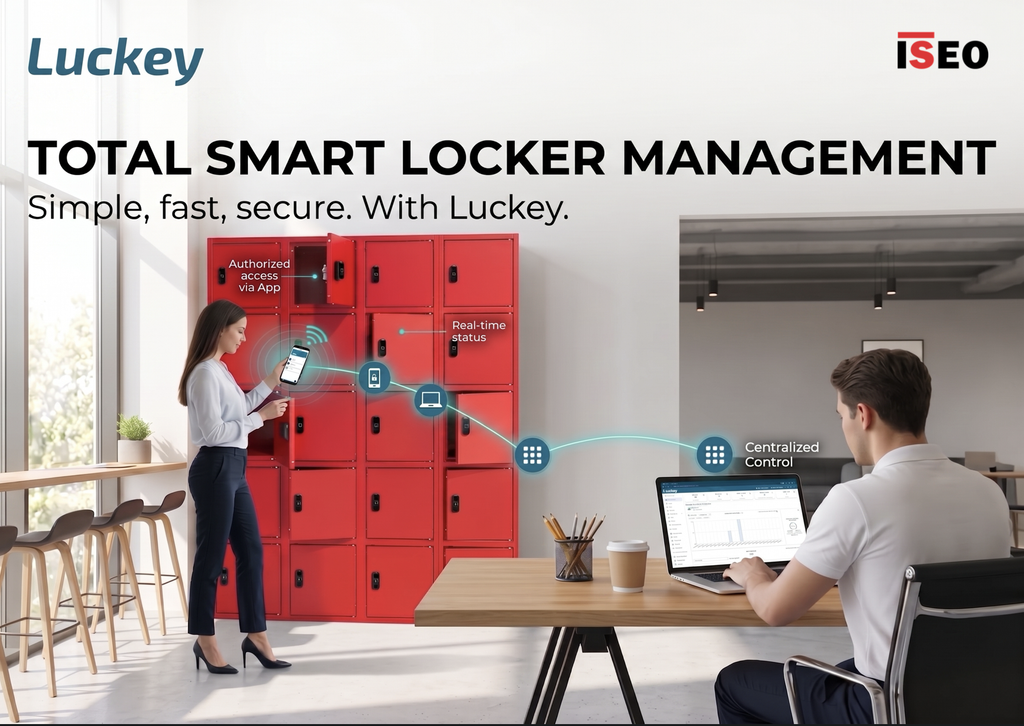
In a hybrid workplace nobody owns a desk any more, so nobody can own a locker either. With the Resources and Reservations add-on you can associate each locker with a desk or a zone. When an employee books the desk, access to the paired locker is granted automatically for the duration of the reservation and revoked when it ends. The employee opens it with the same app they already use for the front door. Facility management does zero manual assignment, and every locker is available to whoever is actually in the office that day.
This is the scenario where the economics are most obvious: a locker that used to serve one person now serves three or four.
Workplace: incoming parcels and deliveries
The reception desk that stores personal parcels is a cost that nobody has ever put in a budget. With the Parcel Management add-on, an incoming parcel is registered and dropped into a Smart Locker, the recipient is notified, and access is granted to that specific compartment until pickup. The courier flow, the notification and the collection are all traced in Luckey. No queue at reception, no parcels stacked behind the desk, and a clear chain of custody.
Student housing: shared lockers in common areas
Student residences run on shared spaces: study rooms, laundries, common kitchens, gyms. Lockers in these areas are useful only if the assignment process is instant, because residents change constantly and support tickets scale with the building. With Resources and Reservations, a resident books a locker from the app for the time they need it and returns it to the pool afterwards. Nobody hands over a key, and nobody chases one at move-out.
Small hospitality: luggage before check-in and after check-out
Guests arrive at 10 a.m. and leave at 11 a.m., but check-in is at 3 p.m. Small properties without a permanently staffed desk either turn the luggage away or accept the liability of a room behind the counter. With Smart Locker 2.1 on a bank of luggage lockers, the guest receives a credential valid for the specific window, drops the bags and comes back. It works in properties with no staff on site at all, which is exactly where Luckey is already handling the room doors.
Four more scenarios worth qualifying
Coworking and flex spaces. A locker included in the membership plan, synchronised with the coworking management software you already run. Luckey integrates with Nexudus, OfficeRnD, Cobot, Spacebring and Optix, so the locker follows the membership without a second database to keep aligned.
Gyms, sports clubs and leisure facilities. Replace wristband keys and padlocks with the same credential members already use at the turnstile. Lost keys stop being an operational problem, and lockers can be freed automatically at the end of the session.
IT asset handover. Loaner laptops, phones, badges and peripherals collected without a physical handover. Paired with Ticketing Management, the request generates the access right and the employee picks the device up when it suits them, out of hours included.
Shared tools and PPE in industrial settings. Cabinets holding equipment used by multiple shifts, with the Items Register add-on recording what was taken, by whom and when. Add Big-data Analytics and you get usage data on assets that were previously invisible.
Getting started
Smart Locker 2.1 is available now and is managed from the Luckey platform like any other smart lock in your installation: same user base, same credentials, same permission model, same audit trail.
Product details and technical documentation are on the ISEO product page. The add-ons mentioned above, with availability by Luckey plan, are listed on the Luckey Store.
If you have a project with lockers in it, or an existing installation where the cabinets are still mechanical, this is the moment to look at it again.